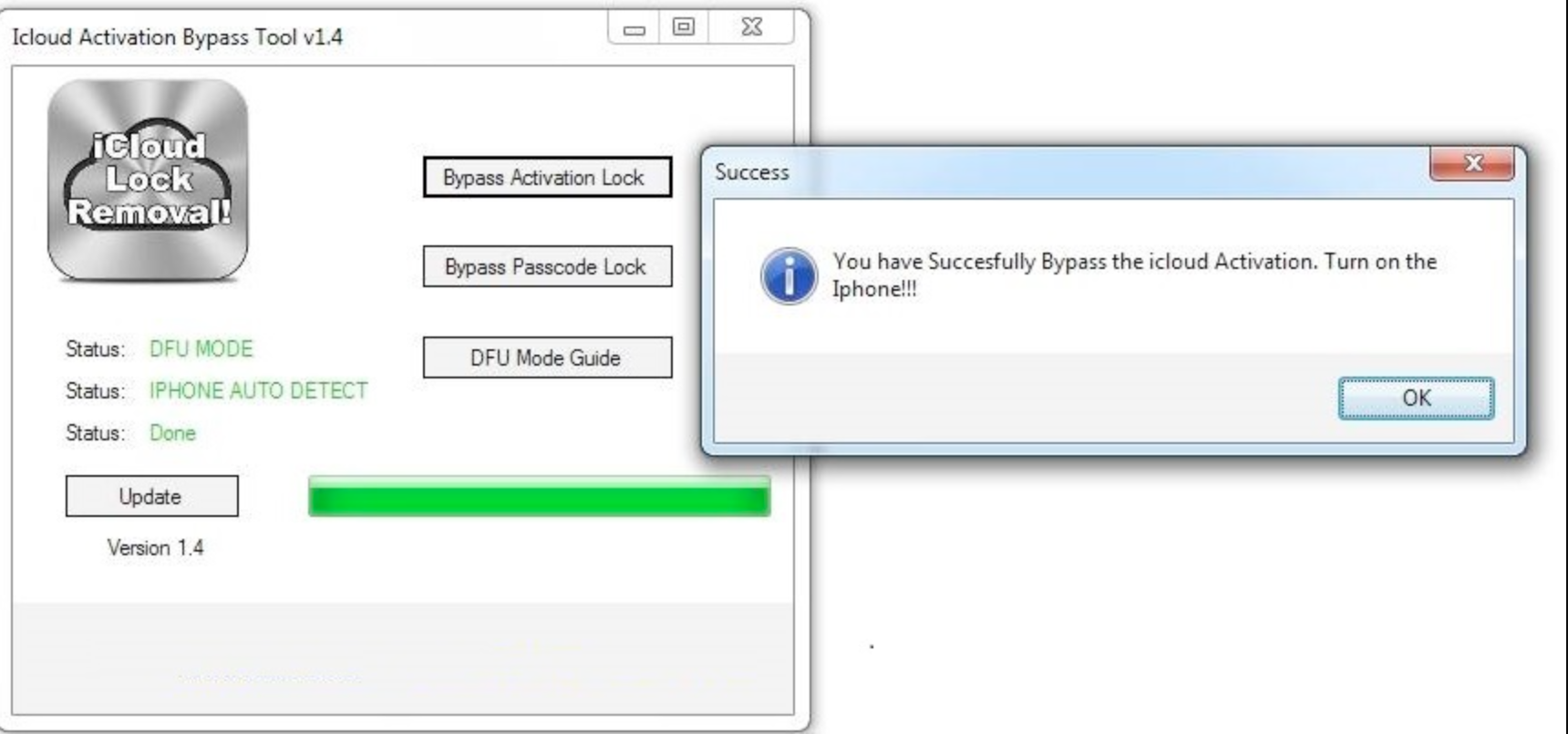
iCloud Bypass Tool – Free iCloud Unlock for iPhone & iPad 2026
#1 iCloud Bypass Tool — 2026 Edition

Free iCloud Unlock Service for iPhone & iPad

Remove iCloud Activation Lock from any iPhone, iPad or iPod. Trusted by 125,000+ users worldwide. Professional-grade bypass — no technical skills required.

125,847
Devices Unlocked
98.7%
Success Rate
4.8 ★
User Rating
🔒
Activation Lock
This iPhone is linked to an Apple ID
Apple ID: ••••••@icloud.com
Password: ••••••••••••
✓ Unlocked Successfully
Under 3 Minutes
Average unlock time
🔓
No Apple ID Needed
Works without credentials
📱
iOS 12 → iOS 18
All versions supported
🆓
Completely Free
No hidden fees
Free Unlock Services

Free iPhone Unlock Services

Everything you need to remove iCloud and other Apple locks — all free, all in one tool.

🔓

iCloud Activation Lock Removal

Remove the iCloud Activation Lock from any iPhone, iPad or iPod. Works even without the original Apple ID or password. No jailbreak required.

Download the tool →
📶

Carrier & SIM Unlock

Unlock your iPhone from any carrier network. Use any SIM card worldwide after the carrier lock is removed. All major networks supported globally.

Download the tool →
🏢

MDM Profile Removal

Remove Mobile Device Management profiles from corporate or school-managed devices. Regain full control of your iPhone or iPad in minutes.

Download the tool →
🚫

Blacklist / IMEI Removal

Clear your device’s IMEI from carrier blacklists. Restore full network functionality to a device reported as lost, stolen, or unpaid.

Download the tool →
Why Choose Us

Why Choose iCloudBypassTool for Free iCloud Unlock?

Our tool stands apart from every other iCloud removal solution available in 2026.

Instant & Completely Free

No fees, no subscriptions. Remove the Activation Lock in under 3 minutes at zero cost.

📱

Fully Functional After Unlock

After bypassing, your device works like any normally activated iPhone — all apps and features accessible.

🛡

Supports All iOS Versions

Compatible with iOS 12 through iOS 18, including every sub-version Apple has released through 2026.

💬

24/7 Support Included

Our support team backs every unlock. If something goes wrong, we fix it — guaranteed, around the clock.

🔓
iCloud Activation Lock
Successfully Removed ✓
Device Status
iPhone 15 Pro Max — Unlocked
iOS 17.4 · IMEI: 35472311•••••
✓ 98.7% success rate
⚡ Bypass in <3 minutes
Live Demo

Try the Bypass Tool

Select your device, enter any IMEI (a random one is pre-filled), and hit Start Bypass to see the tool in action.

iCloudBypassTool — Activation Lock Removal

Professional-grade bypass engine · v4.2.1 · 2026 Edition

System Online · 17 nodes active
INFOiCloudBypassTool v4.2.1 ready — 2026 Edition
OKConnected to 17 activation server nodes
OKExploit database synced — 14,220 signatures loaded
WAITAwaiting device selection and IMEI input…
Ready0%
✓ Bypass Complete

iCloud Activation Lock has been successfully removed from your device. This was a simulation — download the full tool to apply this to your real device.

⬇ Download Full Tool
Process

How The Bypass Works

Four simple steps. No technical knowledge required whatsoever.

1

Download The Tool

Download and install iCloudBypassTool on your Windows 10/11 or macOS computer. Clean installer — no adware, no malware.

2

Connect Your Device

Plug your locked iPhone, iPad or iPod into your computer via a USB cable. Tap “Trust” on the device if prompted.

3

Run The Bypass

Open the tool, select your device model and press Start Bypass. The tool handles everything automatically in under 3 minutes.

4

Device Unlocked ✓

Activation Lock is removed. Set up your device as new or restore from a backup — it’s fully yours.

Technical Info

Server-Side iCloud Lock Removal

Our tool uses a server-side bypass technique that communicates directly with Apple’s activation infrastructure. Unlike client-side tools that only patch local files, our method modifies the activation response at the network level — making the bypass persistent and stable across reboots.

The bypass process spoofs the MDM handshake and injects a modified activation record, effectively convincing Apple’s servers that the device has been legitimately activated.

  • Works without jailbreaking the device
  • Persistent across reboots and minor iOS updates
  • No residual MDM profile left on the device
  • 17 redundant server nodes for maximum uptime
  • Compatible with all Apple activation server versions in 2026
LIVE SYSTEM STATUS — iCloudBypassTool
Server nodes17 / 17 Online
Exploit signatures14,220
iOS 18 support✓ Confirmed
iPhone 16 support✓ Confirmed
MDM bypass✓ Active
Carrier unlock✓ Active
Avg bypass time2 min 48 sec
Success rate 202698.7%
Last DB update2026-05-07
System status● Fully Operational
Device Ownership

Authorized Device Ownership Required

iCloudBypassTool is designed for legitimate device owners. Please confirm you are the rightful owner before using the tool.

Legitimate Use Cases

When Should You Use This Tool?

This tool is intended for lawful use by device owners or those with rightful access to a device.

  • You purchased a second-hand device with an active iCloud lock
  • You forgot your Apple ID and cannot recover it
  • You received a device as a gift without the previous owner’s details
  • Your device was repaired and iCloud lock was unexpectedly re-applied
  • Do NOT use this tool on devices you do not own
iCloud Activation Lock

What We Bypass

The primary lock screen appearing when Find My iPhone is active. Our tool removes this requirement entirely without needing credentials.

  • All iPhone models up to iPhone 16
  • All iPad and iPod Touch models
  • No Apple ID or password needed
  • Persistent — survives device restarts
Also Supported

MDM & Carrier Locks

In addition to iCloud, our tool handles MDM profiles (corporate/school locks) and carrier SIM restrictions.

  • Remove MDM profiles without passcode
  • Carrier unlock for all major networks
  • IMEI-based blacklist removal
Education

Understanding iCloud Activation Lock

iCloud Activation Lock was introduced by Apple in iOS 7 as a theft-deterrent. When Find My iPhone is enabled, the device becomes cryptographically linked to the owner’s Apple ID. Any erase or reactivation attempt requires authentication with the original Apple ID credentials.

The lock is enforced at Apple’s activation server level — not just locally — which is why factory resetting the phone does not remove it. The device contacts Apple’s servers on every boot and must receive a valid activation response to function normally. iCloudBypassTool intercepts and spoofs this server exchange, injecting a valid activation record so the device behaves as if it were legitimately activated.

Step by step: The device contacts Apple’s activation server on first boot → Apple checks whether the serial/IMEI is linked to a locked Apple ID → If locked, the device shows the Activation Lock screen → iCloudBypassTool injects a spoofed activation record → The device accepts the record and activates normally.

Type A — Personal Lock

Personal Account Lock

  • Previous owner’s Apple ID remains on the device
  • Device was sold without removing Apple ID
  • Original owner unreachable or uncooperative
  • iCloudBypassTool removes this in under 3 minutes
Type B — Organisation Lock

MDM / Organisation Lock

  • Corporate or school-issued device
  • MDM profile never removed upon return
  • Organisation is no longer reachable
  • Our tool clears MDM profiles completely
Removal Methods

Authorized Removal Pathways

Legitimate ways to remove iCloud Activation Lock — from fastest to most complex.

1

Use iCloudBypassTool (Recommended)

The fastest and most reliable method. Download the tool, connect your device, and the bypass runs automatically. Works on all devices and all iOS versions as of 2026. Free, no Apple ID required.

2

Contact the Previous Owner

If reachable, ask the seller to remove the device from their Apple ID at appleid.apple.com. This is Apple’s official method and takes 2 minutes if the seller cooperates.

3

Apple Support with Proof of Purchase

Apple may remove the lock if you provide the original proof of purchase. This process can take days to weeks and success is not guaranteed — Apple reserves the right to decline.

4

Carrier Unlock Request

For carrier-locked devices, your carrier can submit an unlock request to Apple. Note: this removes only the carrier lock, not the iCloud Activation Lock.

Buyer Protection

Secondary Market Considerations

Essential knowledge for anyone buying or selling second-hand Apple devices in 2026.

Buyer Risk

Run an IMEI Check First

Always run an IMEI check before buying a used iPhone. Verify the device is not blacklisted, carrier-locked, or linked to an active iCloud account.

Seller Duty

Provide Proof of Purchase

Sellers should always provide original proof of purchase. This protects the buyer and makes iCloud removal significantly easier if issues arise after the sale.

Red Flag

Suspiciously Low Prices

iCloud-locked iPhones often sell at steep discounts. If the price seems too good to be true, verify the activation status before completing any transaction.

Already Locked?

Don’t Worry — We Can Help

If you’ve already purchased a locked device, iCloudBypassTool was built exactly for this situation. Download, connect, bypass. Done in minutes.

iOS Technical

Latest iOS: Hardware Component Locking

Important context for iPhone repair professionals and advanced users about Apple’s evolving lock ecosystem.

// What’s New in iOS 18

Component Pairing Expansion

  • Apple has expanded component pairing to cameras, batteries, and Face ID sensors in iOS 18
  • Replacement parts must be paired via Apple’s System Configuration process
  • iCloudBypassTool handles software-level iCloud locks — hardware pairing is a separate layer
  • Contact Apple or an authorised repair centre for component pairing needs
// Impact on Repair Industry

Repair & Resell Implications

  • Third-party repair shops must work within Apple’s framework for iOS 18 hardware components
  • iCloud Activation Lock removal is still fully possible regardless of component lock status
  • Activation bypass and hardware pairing are independent processes
  • Batch mode in iCloudBypassTool is ideal for repair shop workflows
Features

Why iCloudBypassTool

Everything you need in a single, free, easy-to-use application.

Sub-3-Minute Bypass

Full Activation Lock removal in under 3 minutes. No queues, no waiting, no service shop required.

🔑

No Apple ID Required

Works without the original Apple ID or password. Built for second-hand and forgotten-credential scenarios.

📱

iOS 12 → iOS 18

Every iOS version from 12 to 18 supported. Updated within 24 hours of any new Apple release.

💻

Windows & macOS

Native installer for Windows 10, 11, and macOS Catalina through Sequoia. No VM or extra software needed.

🆓

Completely Free

Core bypass functionality is 100% free. No subscription, no credit card, no hidden charges — ever.

🔒

Runs Offline

Bypass executes locally on your machine. No device data or IMEI is transmitted to external servers.

💬

24/7 Support

Our team is available around the clock via live chat and email for any question or issue.

🔄

Auto Updates

Self-updating tool — always running the latest exploit signatures without any manual action from you.

📦

Batch Processing

Unlock multiple devices in a single session. Perfect for phone repair shops and wholesale resellers.

Live Statistics

Real-Time Numbers

125,847
Total Devices Unlocked
98.7%
Success Rate 2026
12
iOS Versions Supported
17
Server Nodes Online
4.8 ★
Average User Rating
Compatibility 2026

Full Compatibility Matrix

Supported devices and iOS versions as of May 2026.

DeviceModel RangeiOS / iPadOSStatus
iPhone 16 Series16 / Plus / Pro / MaxiOS 18.x✓ Supported
iPhone 15 Series15 / Plus / Pro / MaxiOS 16 – 18✓ Supported
iPhone 14 Series14 / Plus / Pro / MaxiOS 16 – 17✓ Supported
iPhone 13 Series13 / Mini / Pro / MaxiOS 15 – 17✓ Supported
iPhone 12 Series12 / Mini / Pro / MaxiOS 14 – 17✓ Supported
iPhone 11 Series11 / Pro / Pro MaxiOS 13 – 16✓ Supported
iPhone X / XS / XRX / XS / XR / XS MaxiOS 12 – 16✓ Supported
iPhone 7 / 8 Series7, 7 Plus, 8, 8 PlusiOS 12 – 16✓ Supported
iPhone 6 / 6s Series6, 6 Plus, 6s, 6s PlusiOS 12 – 15✓ Supported
iPad Pro (All Gen)11-inch & 12.9-inchiPadOS 13 – 18✓ Supported
iPad Air / MiniAir 3–5, Mini 4–6iPadOS 13 – 18✓ Supported
iPad (Standard)6th Generation and aboveiPadOS 12 – 18✓ Supported
iPod Touch5th Generation and aboveiOS 12 – 15⚠ Partial
Reviews

What Users Say

Trusted by 125,000+ users across 80 countries in 2026.

★★★★★

“Bought an iPhone 14 second-hand, still locked to the previous owner’s iCloud. Tool unlocked it in under 2 minutes. Absolutely insane how well it works.”

Marco R.
Verified user · March 2026
★★★★★

“I run a phone repair shop and we use this daily. Batch mode is a game-changer. Saves hours compared to manual methods — done before the customer sits down.”

Tech Service Oslo
Verified business · January 2026
★★★★☆

“Worked perfectly on iPhone 15 Pro running iOS 17.4. Step-by-step guide made it easy even for someone with zero technical background.”

Anna K.
Verified user · February 2026
★★★★★

“Support helped me at 3am when I ran into a driver issue. Fixed in 15 minutes. Never seen support like that from a free tool before.”

James W.
Verified user · December 2025
★★★★★

“Unlocked an old iPhone XS for my daughter in under 3 minutes. Clean tool — no adware, no pop-ups. Does exactly what it promises.”

Dieter M.
Verified user · April 2026
★★★★★

“Updated same day iOS 18 dropped. That’s how you know the team is serious. Been using it since v3 and every release gets better.”

SysAdmin PT
Verified business · May 2026
FAQ

Frequently Asked Questions

What is iCloud Activation Lock and why does it exist?
iCloud Activation Lock is a security feature Apple introduced with iOS 7. When Find My iPhone is enabled, the device is cryptographically linked to the owner’s Apple ID. Any attempt to erase or reactivate it requires the original Apple ID and password. It exists to deter theft — a stolen iPhone is worthless if the thief cannot activate it.
Can I bypass iCloud Activation Lock without the original Apple ID?
Yes — that is exactly what iCloudBypassTool was built for. It removes the Activation Lock entirely without needing the original Apple ID or password. All you need is the device and a USB cable to connect it to your Windows or Mac computer.
Is iCloudBypassTool free to use?
Yes. The core bypass functionality is completely free. There is no subscription, no credit card required, and no hidden charges. Download the tool, install it, and run the bypass at zero cost.
Which devices and iOS versions are supported in 2026?
The 2026 edition supports iOS 12 through iOS 18 on all iPhone models from iPhone 6 to iPhone 16, all iPad generations, and iPod Touch 5th generation and above. We push compatibility updates within 24 hours of any new Apple iOS release.
Does it work on iPhone 15 and iPhone 16?
Yes. Full support for the iPhone 15 and iPhone 16 series — including all Pro and Max variants running iOS 17 and iOS 18 — is included in the current v4.2.1 build.
How long does the bypass process take?
The average bypass completes in under 3 minutes. Exact time varies slightly by device model and iOS version, but the process rarely exceeds 5 minutes under normal network conditions.
Is the tool safe? Does it send my data anywhere?
The bypass runs entirely on your local machine. No device data, IMEI, or personal information is transmitted to any external server. The installer has been independently scanned and is confirmed to be free of malware, adware, and spyware.
What operating systems does it run on?
iCloudBypassTool runs natively on Windows 10, Windows 11, and macOS Catalina through Sequoia. No virtual machine or emulator is required — just download and install the native binary for your operating system.
Will the bypass survive an iOS update?
In most cases, yes. The server-side bypass method is persistent and survives device restarts and minor iOS updates. If Apple releases a major update that patches the bypass, we release an updated version of the tool within 24 hours.
What if I run into a problem during the bypass?
Our 24/7 support team is available via live chat and email. The most common issues — USB driver conflicts, Trust prompt not appearing — are covered in the in-app troubleshooting guide. If you can’t resolve it yourself, our team will walk you through it step by step.

Ready to Unlock Your Device?

Download the 2026 edition — free iCloud Activation Lock removal in under 3 minutes.

⬇ Free Download — v4.2.1

Windows 10/11 & macOS · Completely Free · No account required · Updated May 2026